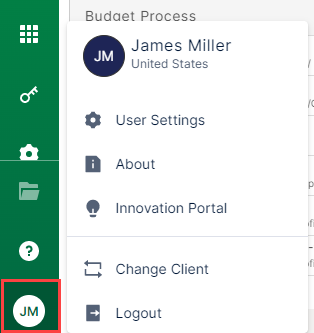
Bizview v24 Bizview v24 HTML Client END-USER User Menu User Menu The user menu displays in the bottom-left corner of your Bizview application. The user menu contains: User Settings About Innovation Portal Change Client Logout You can also see the name of the signed in user and logged in client. Related articles Was this article helpful? Yes No We're sorry to hear that. Click Here to Provide Feedback.